Key takeaways
- Choose the method that fits how people work: fixed sites suit terminals, field and multi-site teams suit mobile clock-in, and very small teams can start with a register.
- Fingerprints and face scans used to identify staff are sensitive personal data under the Nigeria Data Protection Act 2023, so you need a lawful basis, clear notice and tight security.
- Attendance data only saves money when it flows into payroll for lateness, overtime and unpaid absence.
- Plan for power and network outages: devices that store records offline and sync later avoid lost days.
Attendance looks simple until payroll depends on it. A late arrival, an unrecorded half-day or a missed overtime shift each turns into a pay question, and the answer is only as good as the record behind it. This guide compares the three ways Nigerian employers record attendance, explains the data protection rules for biometrics, and sets out how to roll a system out without a revolt.
Three ways to record attendance in a Nigerian workplace
What the law expects you to record
The Labour Act does not prescribe an attendance register for most private employers, but several of its rules only work if you know who worked when.
- Normal hours and overtime. Normal hours are set by agreement, collective bargaining or an industrial wages board, and anything beyond them is overtime.
- Rest. A worker on duty for six hours or more a day is entitled to rest intervals totalling at least one hour, and to one rest day of at least 24 consecutive hours in every seven days.
- Unpaid absence and deductions. Pay for days not worked can be adjusted under the contract, but deductions are limited, as below.
Under section 13 of the Labour Act, hours worked beyond the agreed normal hours are overtime.
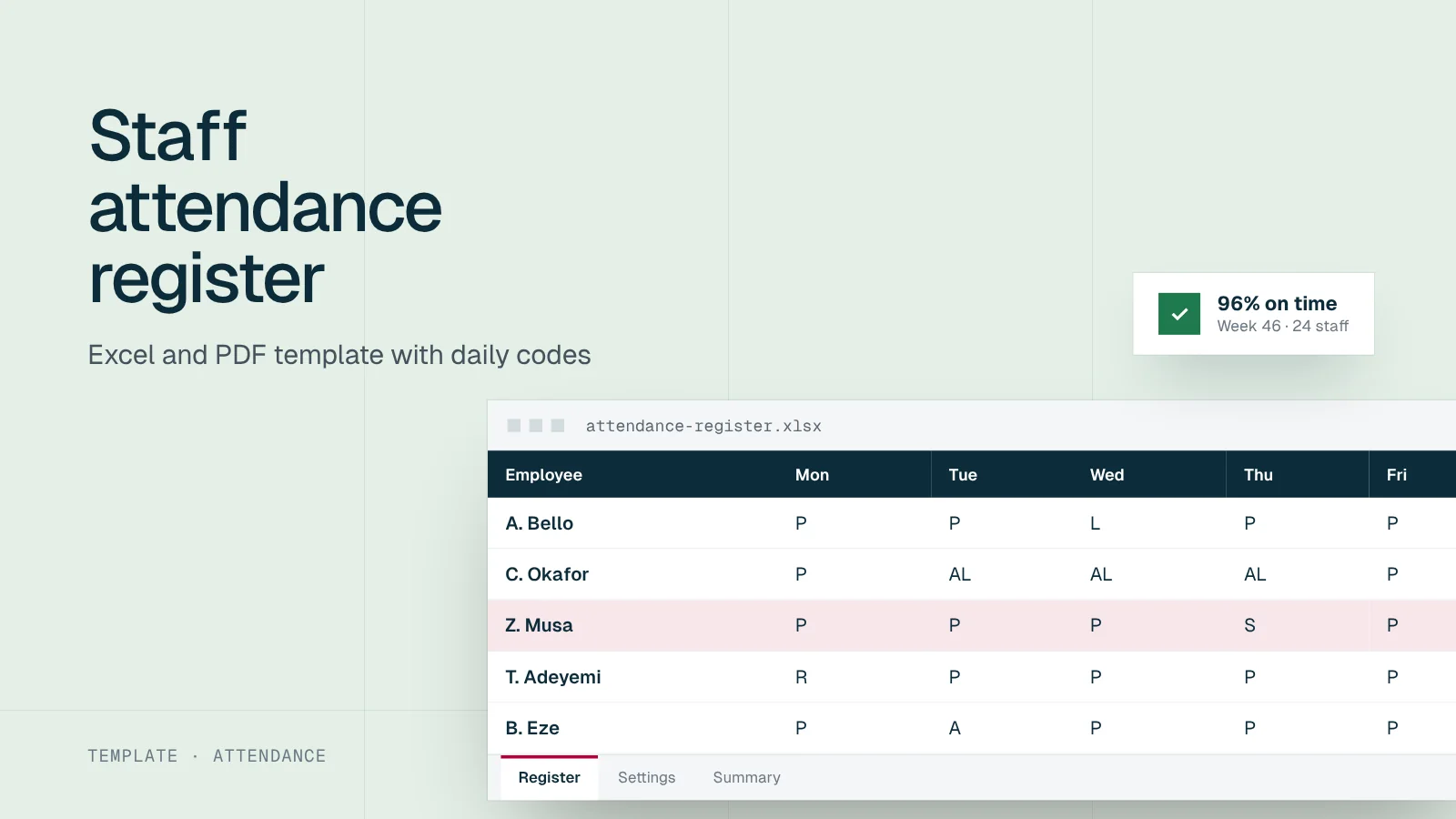
Overtime has no statutory rate for most workers; the rate comes from the contract, handbook or collective agreement. Our overtime guide explains how to set and calculate it, and the attendance register template is a free starting point.
The three options compared
Paper or spreadsheet register
A signed register at reception, or a spreadsheet a supervisor fills in, costs almost nothing and works during power cuts. It struggles with accuracy: people sign for each other, times are rounded, and someone has to total it every month. It suits teams of up to about 20 people at one site, or as a fallback when devices are down.
Biometric terminal
A fingerprint or face terminal at the entrance gives strong proof that the person was there. It suits factories, schools, hospitals, warehouses and offices with one main entrance. The costs are the device, power backup, setup and the data protection work described below. Fingerprint readers can struggle with worn or dirty fingers in manual work; face terminals need good lighting.
Mobile clock-in
Staff clock in on their phone, often with location, a QR code at the site or a selfie check. It suits sales teams, field engineers, drivers, security guards across client sites and hybrid staff. It depends on staff having suitable phones and data, and on clear rules about where location is recorded, which should be only at clock-in and clock-out.
Choosing a method
Many employers mix methods: a terminal at head office, mobile clock-in for field staff, and a register as the fallback. What matters is that all three feed the same records.
Biometrics and the Nigeria Data Protection Act 2023
The Nigeria Data Protection Act 2023 lists “genetic and biometric data, for the purpose of uniquely identifying a natural person” among the categories of sensitive personal data. A fingerprint or face template used to confirm who clocked in falls in that category. Processing sensitive data is prohibited unless one of the conditions in the Act applies, such as the person’s consent.
Before you switch on a biometric system
Write down why you need biometrics rather than a card or PIN, tell staff what is captured and how long it is kept, decide the lawful basis you rely on, restrict who can access the data, and check whether a data protection impact assessment is required. The Act requires one where processing is likely to pose a high risk to people’s rights, and the Nigeria Data Protection Commission can designate types of processing that always need one.
Practical controls matter as much as paperwork. Store templates rather than images where the device allows it, encrypt data in transit and at rest, remove staff from devices when they leave, and offer an alternative such as a card for anyone who cannot use the reader.
From attendance to payroll
Attendance data saves money only when it changes pay correctly. Before buying, map how each record type reaches payroll:
| Attendance record | Payroll effect | Rule to write down |
|---|---|---|
| Late arrival | Usually none, or a warning | When lateness becomes a disciplinary matter |
| Unpaid absence | Deduction of daily pay | How a day’s pay is calculated |
| Overtime | Extra pay | Approval needed and the rate from your contract |
| Work on a rest day or public holiday | Extra pay or time off | The rate or time off your policy gives |
| Approved leave | None | How leave is recorded so it is not marked absent |
Be careful with lateness fines. The Labour Act restricts deductions from wages for fines, so a policy that docks a fixed sum for every late arrival is risky. Treat persistent lateness as a conduct issue under your disciplinary procedure instead, starting with a conversation and, if needed, a query letter.
Power, network and fraud
Plan for the conditions your sites actually have:
- Power. Terminals need an inverter, UPS or battery, and should keep records through an outage.
- Network. Choose devices and apps that store records offline and sync when the connection returns.
- Buddy punching. Registers invite people to sign for absent colleagues. Biometrics and photo checks reduce it; random supervisor checks help with any method.
- Location spoofing. For mobile clock-in, use site QR codes or geofences, and review patterns rather than single records.
Buying checklist
Fit
Data protection
Payroll
Ticks are saved in this browser only.
Rolling it out
A rollout staff will accept
Explain the why
Fair pay for hours worked and fewer disputes, before any device appears
Publish the policy
What is recorded, who sees it, how long it is kept and how to raise a concern
Pilot one team
Run it for a month alongside the old method and fix the problems
Enrol everyone
Capture biometrics privately, one person at a time, with a fallback option
Go live with grace
Allow a short period where errors are corrected without consequences
Review monthly
Check exceptions, missed punches and device uptime with supervisors
Where Workstat fits
Timestat is Workstat’s time and attendance product. If you are comparing systems, put each one through the checklist above, including Timestat, and ask for a pilot at one site before you commit.
Track attendance with Timestat
Capture clock-ins, shifts and leave in one place and feed accurate attendance data into payroll.
Written for: Ops managers, HR
Track attendance with Timestat
Capture clock-ins, shifts and leave in one place and feed accurate attendance data into payroll.
Sources
Frequently asked questions
Short answers to what employers ask us most about this topic.
What is an attendance management system?
A system that records when staff start and finish work, breaks, absences and leave, and turns those records into reports for managers and payroll. It can be a paper register, a biometric terminal, a mobile app or a mix.
Is biometric attendance legal in Nigeria?
Yes, but biometric data used to identify people is sensitive personal data under the Nigeria Data Protection Act 2023. Employers need a lawful basis, must tell staff how the data is used and stored, keep it secure and consider a data protection impact assessment before rollout.
Can attendance records be used to deduct pay?
Records can support deductions for unpaid absence where the contract or handbook provides for them. Fines are different: the Labour Act restricts deductions for fines, and total deductions in a month cannot exceed one third of the worker's wages.